Type set like a printed book
Whole paragraphs are justified at once, words are hyphenated by real dictionaries and typesetters’ rules, punctuation hangs into the margin. The page reads as an even, quiet grey.
Coming soon to Windows and macOS
Nightleaf Book Reader sets every page the way a good printer would — and lays it open on your desk, under a warm lamp. Made for people who read for hours and want it to feel like reading.
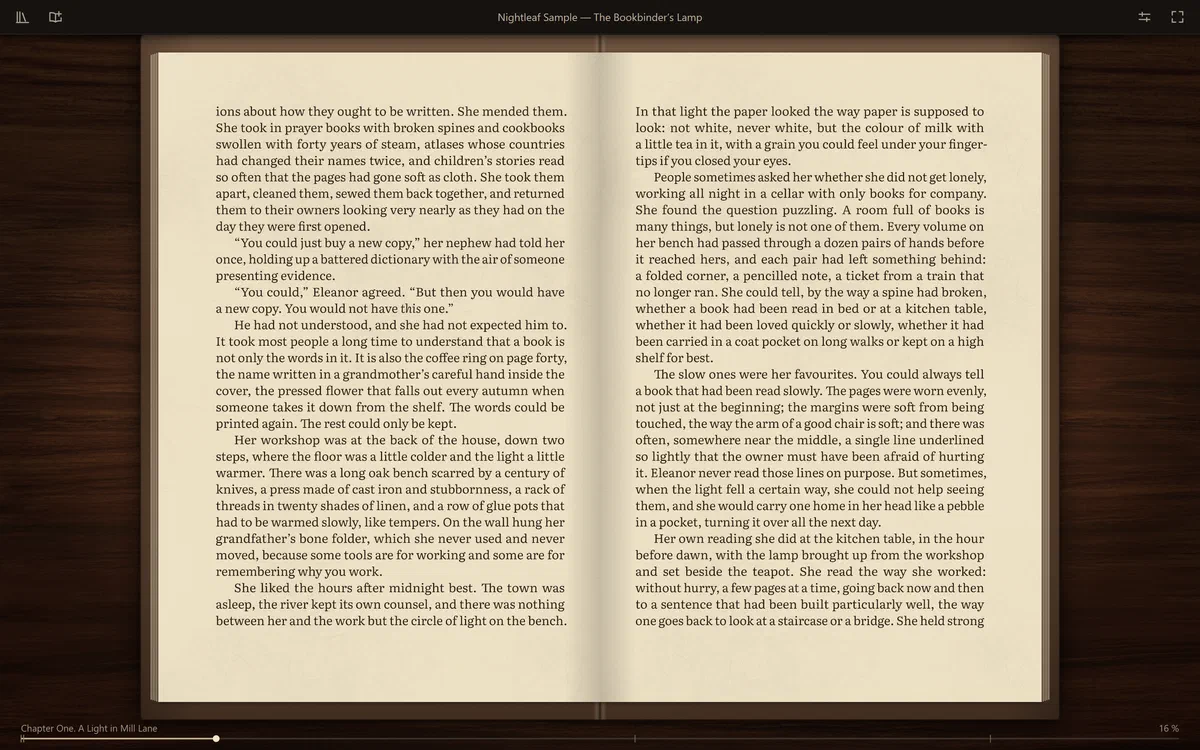
Every reader opens EPUB. What people keep coming back for is how a book feels after the third hour. Nightleaf is built around three things:
Whole paragraphs are justified at once, words are hyphenated by real dictionaries and typesetters’ rules, punctuation hangs into the margin. The page reads as an even, quiet grey.
An open hardcover on a wooden desk, a lamp above it, paper with a grain you can almost feel — and a page you can take by the corner and turn.
Warm aged paper by default, carefully balanced night schemes, a high but never harsh contrast, and type that grows with the window like a book brought closer.
Typography
Good typography does its work before you arrive. Nightleaf has its own typesetting engine — no web view, no stock text box — written for one purpose: a page that does not tire the eye.
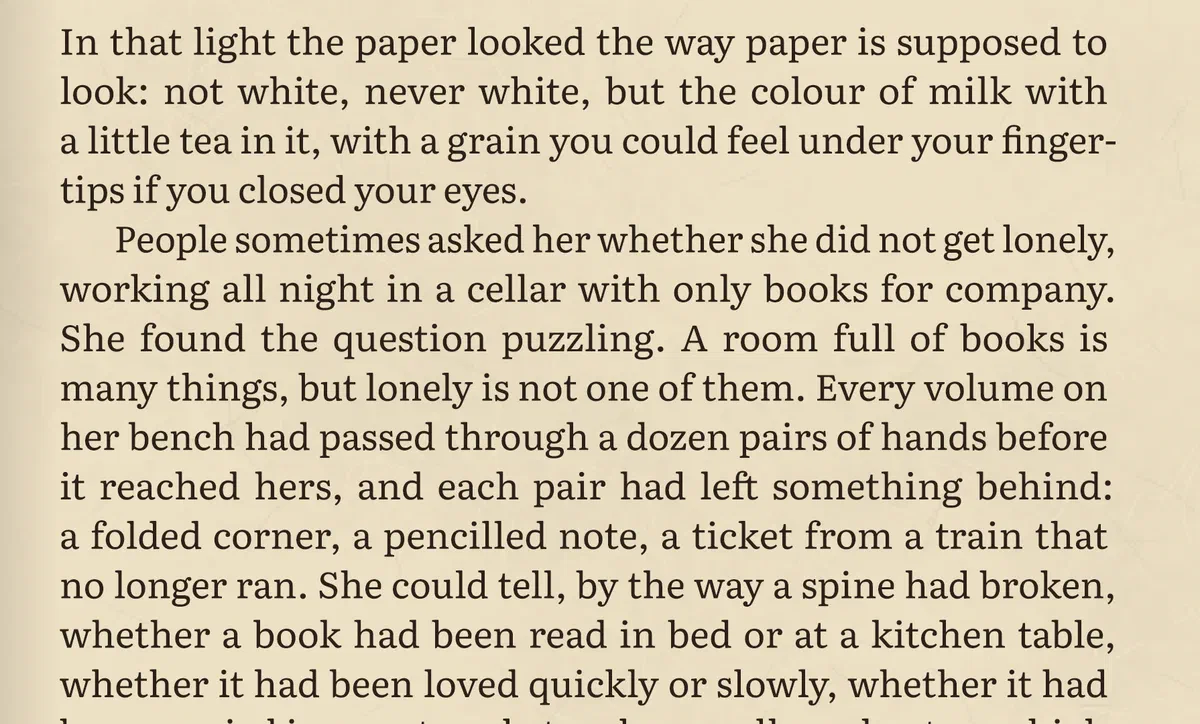
Most readers fill one line at a time and stretch whatever is left — that is where the white “rivers” come from. Nightleaf weighs every possible break in the paragraph together (the Knuth–Plass method used by TeX) and picks the most even page.
Hyphenation by proven dictionaries for English and Russian, with typesetters’ practice on top: whole words tried first, no ladders of hyphens, no broken word at the foot of a page when it can be avoided.
Quotes, commas, full stops and hyphens sit slightly outside the text block, as in fine printing, so the margins look truly straight.
Letters may widen or narrow by up to 2 % — invisible to the eye — so word spaces stay even instead of gaping.
No lonely line at the top or bottom of a page, no heading stranded at the foot. Lines on facing pages stand on one shared baseline grid, as in a printed spread.
Chapters open lower on a fresh page, epigraphs sit to the right in italics, verse keeps its lines, the first paragraph after a heading starts flush.
Language is detected for every book and every paragraph. Each brings its own rules: non-breaking spaces after short Russian prepositions and initials, numbers kept with their units, dashes and quotes in their places.
A page holds 32 lines by default. Make the window larger and the whole book grows, as if you brought it closer — the lines and the place you read stay the same. Prefer larger type? A single slider.
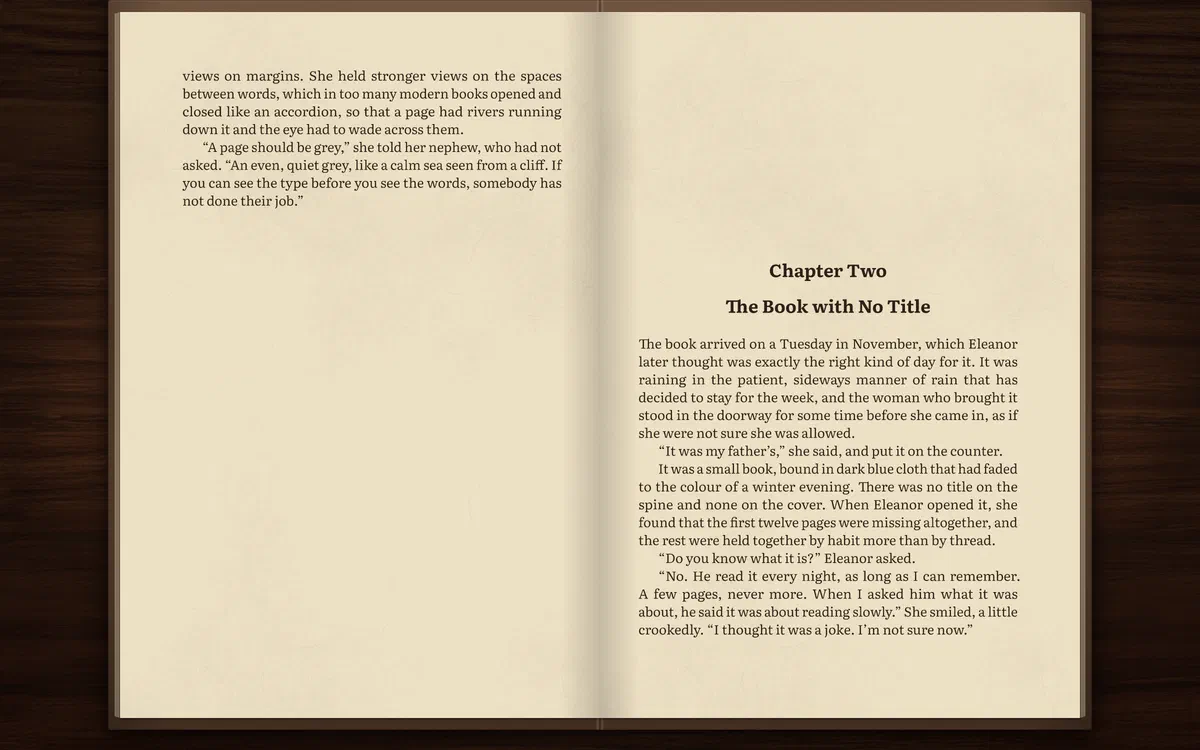
Set in Literata, a typeface designed for long reading on screens, at its text optical size. More book typefaces are coming.
The book
Nightleaf does not imitate a book with a flat picture. The open hardcover lies on a wooden desk under a warm lamp; its boards curve, its pages have edges and a soft shadow at the spine, the paper has a faint grain drawn in code.
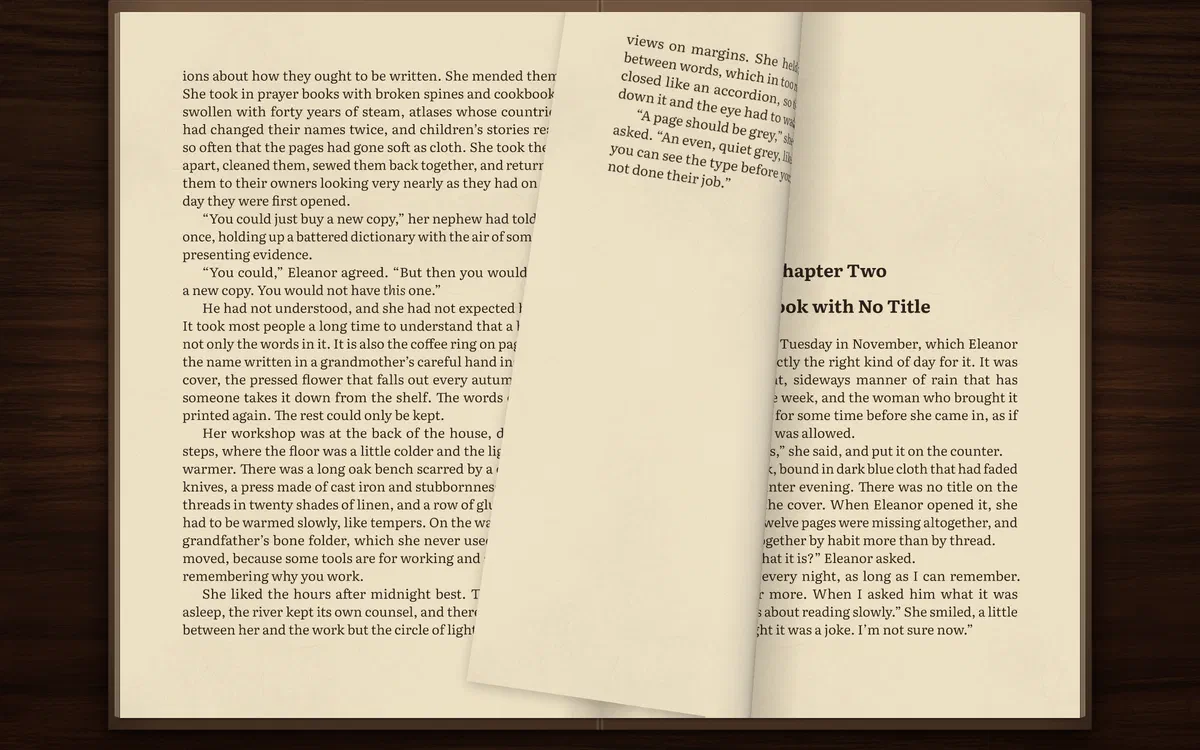
Move the mouse to a page’s outer corner and it lifts slightly under your hand. Drag it: the sheet follows you and rolls over. Let go past the middle — or flick it — and it lays down; let go early and it falls back.
Arrow keys, Page Up and Down, Space, the mouse wheel, a click on either half of the spread, the side buttons of the mouse. The cursor hides itself after two seconds.
Paper turn by default; a gentle slide, a fade or an instant change if you prefer. Never a flash or a flicker.
A wide window shows a spread; a narrow one, a single page. Full screen with F11.
Paper & ink
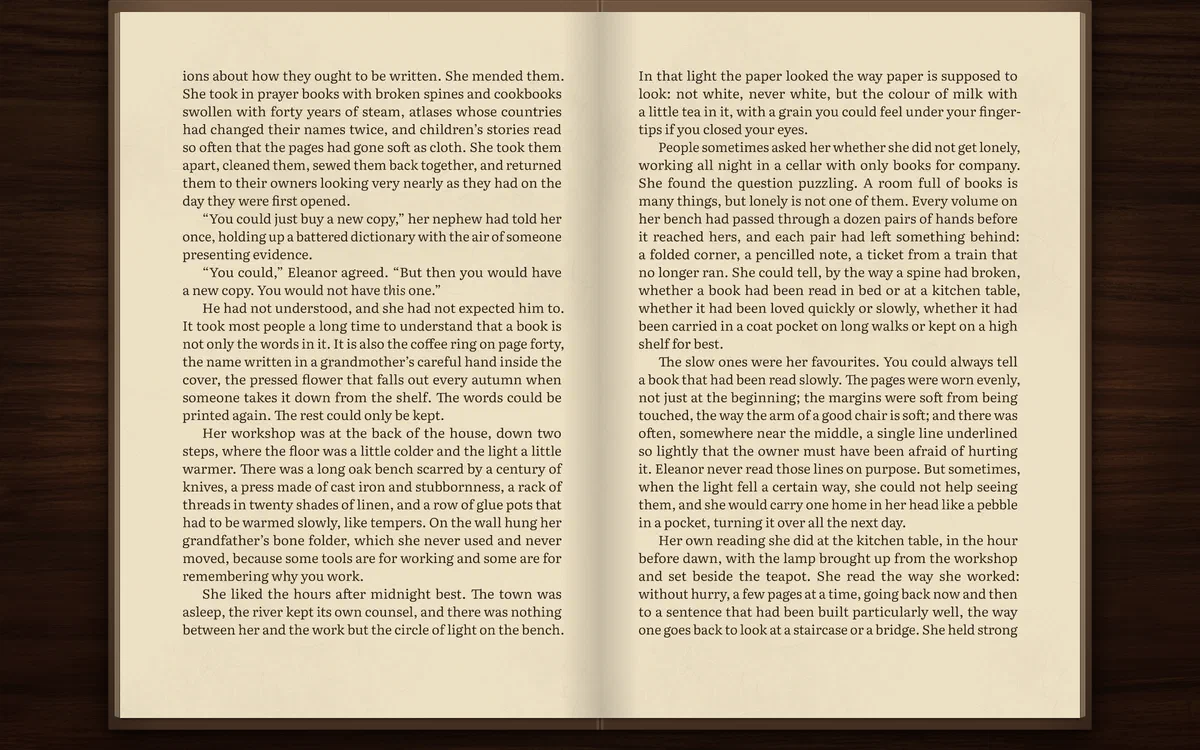
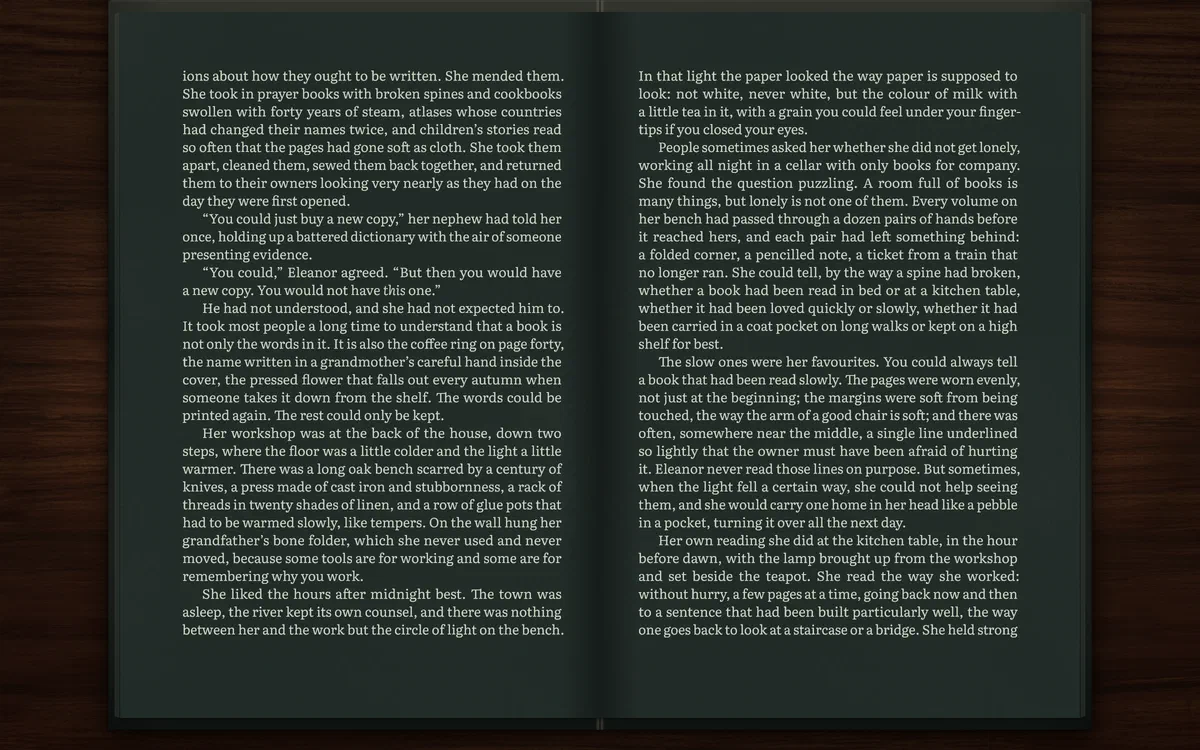
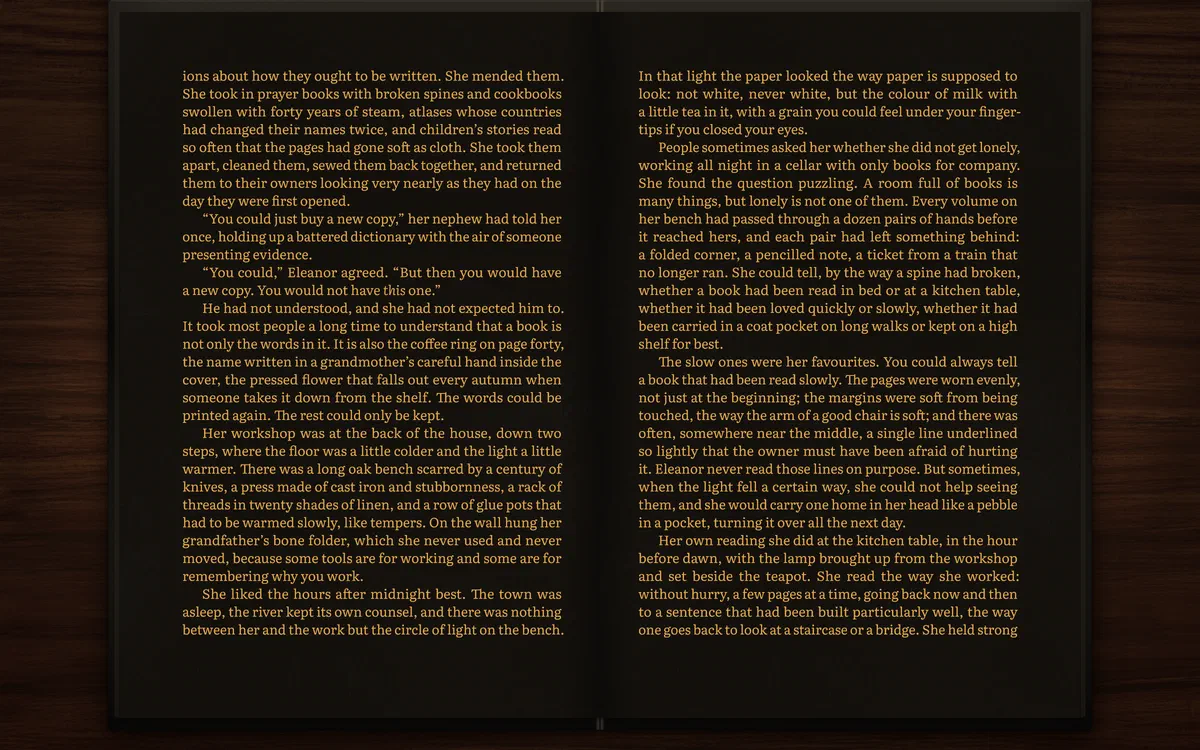
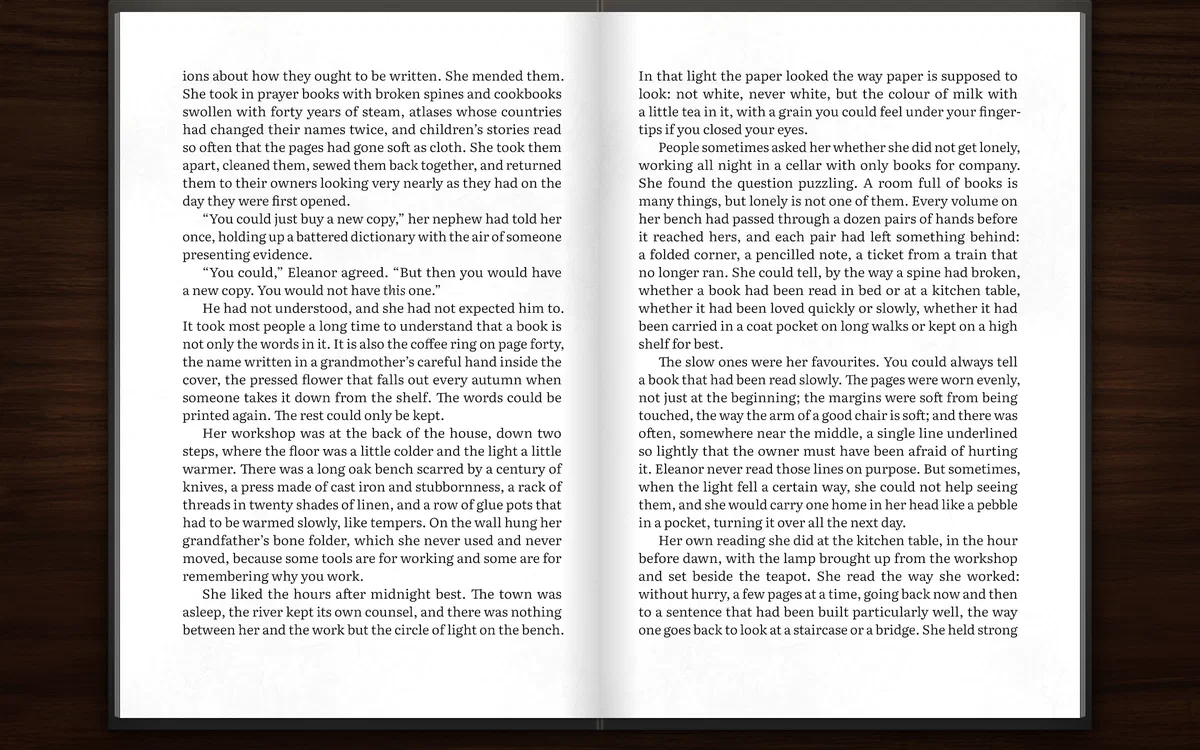
The default is Old Paper: near-black ink on the warm, yellowed paper of an old book — far gentler than white. For the evening there are night schemes, tuned so light text on a dark page does not glare.
Your place
Pages change when you resize the window or make the type larger — your place does not. Nightleaf remembers the exact phrase you were reading, not a page number.
Start Nightleaf and it opens the last book at the line you left, in a window of the same size and place.
A thin strip under the book shows how far you are, with a mark for every chapter. Hover to see a chapter’s name, click to go there.
The first time a long book opens, Nightleaf typesets it chapter by chapter and shows honest progress — what it is doing and how long it will take. After that, it opens at once.
The shelf
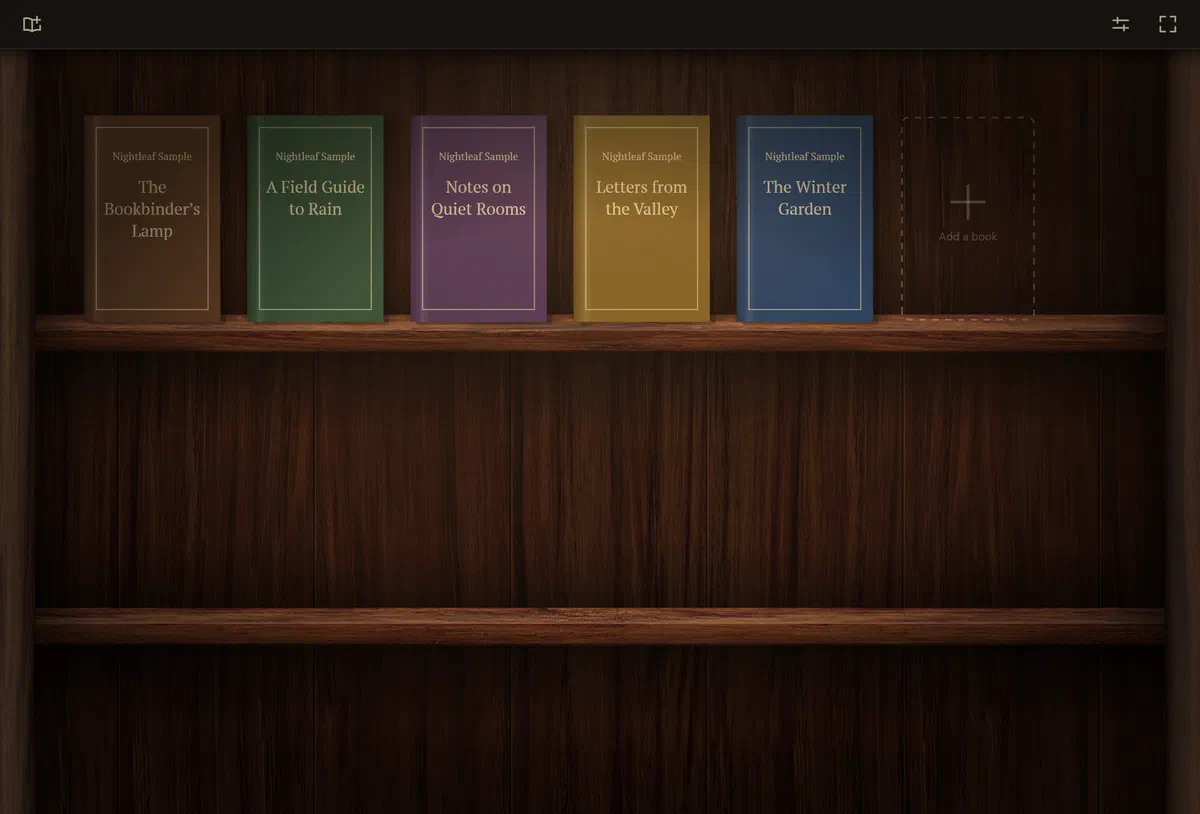
Close a book and you are at a wooden bookcase lit by a lamp. Your books stand cover out, each with a thin line showing how much you have read.
Books
Read by our own code. The publisher’s styles are set aside: your book gets Nightleaf’s typography.
Chapters, epigraphs, verse, emphasis and covers.
Plain text in almost any encoding, detected automatically.
Old files are welcome. Besides Unicode, Nightleaf reads the legacy encodings old books were saved in — Windows-1251, KOI8-R, KOI8-U, DOS 866, ISO-8859-5, Mac Cyrillic, Western and Central European code pages and more — and works out which one a file uses by itself.
Books with DRM and PDF are not supported.
Nothing to sign up for. Open a book and read.
Your books, places and settings live in plain files in your own folder. Nothing is sent anywhere.
The interface speaks English and Russian, switchable on the fly.
Made for both, from one code base, with the same pages on each.
Why Nightleaf
| — | A typical reader app | Nightleaf |
|---|---|---|
| Justification | One line at a time; uneven gaps and rivers | Whole paragraph at once (Knuth–Plass) |
| Hyphenation | Often none, or many in a row | Dictionary patterns and typesetters’ rules, few hyphens |
| Margins | Punctuation sits inside the edge | Hanging punctuation, optically straight edges |
| Facing pages | Lines drift out of step | One baseline grid across the spread |
| Russian typesetting | English rules for everything | Its own rules, detected per paragraph |
| Look | A flat panel of text | An open book on a lamp-lit desk |
| Resize the window | You lose your place | The same phrase stays in front of you |
On the way
Everything above works today. Here is what we are building next — listed honestly, without dates.
A continuous ribbon of text moving at your reading speed, adjustable on the fly, smooth on any monitor.
Footnotes that pop up without leaving the page; time to the end of the chapter at your own pace.
Jump to any chapter, find a phrase, mark a page.
Every colour adjustable with a live preview on the real spread; more typefaces, line spacing and margins; presets to save and share.
Schemes that change smoothly with the time of day, and a warmer tint in the evening.
Using the voices built into Windows and macOS.
A catalogue with authors and series, folder import, a dictionary on hover.
Nightleaf Book Reader is in active development. There is nothing to buy or download yet — and no newsletter to sign up for. When it is ready, this page is where it will be.
Windows 10 and 11 · macOS